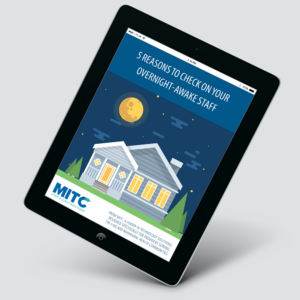

Ensure employees perform their bed checks at the required time and are awake and onsite at overnight locations.
Agency staff working overnight awake shifts are often required to check in every hour or two to ensure they are awake, performed their bed checks and have not left the location. myCheckIn aids with compliance, helps promote safety and accountability, and fits into best practice models.
Worried about missed bed checks? Shift abandonment? Staff sleeping? Serious incident risk?
myCheckIn is the answer!
myCheckIn Features
- Verify check-in using telephone, web clock, or biometric fingerprint readers
- Ensure staff are onsite with caller-ID, GPS geo-fencing, IP address, or biometric fingerprint readers
- Ensure staff are awake and still onsite
- Receive alerts if staff miss a check-in
- Comprehensive reporting system with unlimited history
- Ensure compliance and ratios
- Provide independent third-party verification
- Employee Import function for fast setup
- Includes No Show Alert system for one-on-one settings with text-to-voice alerts option.
myCheckIn is an innovative, cost-effective, and reliable solution available as a stand-alone application or as part of any integrated MITC solution.
Missed Staff Bed Check Alerts
A missed staff bed check alert is a notification generated by myCheckIn when an employee fails to complete a required resident check. These alerts are used across various care settings such as group homes, intensive supported living, and assisted living facilities to help ensure resident safety, especially during overnight shifts.
How Missed Bed Check Alerts work
Unfortunately, employees are not always 100% reliable, and managers are often too busy to consistently review bed check reports in EHR. myCheckIn addresses this issue by sending real-time alerts to managers and supervisors if a staff member fails to check in on a resident within a designated timeframe. This proactive approach improves on older, less reliable methods found in many EHR systems, which depend on staff bed check documentation and manual manager review.
What type of devices are supported for capturing check-ins?
- Smartphone with optional 2FA
- PC in house
- Biometric
- Telephone with caller-ID verification